

Works with your watch and your apps
TrainRox works with the Apple Watch, Strava, Apple Health and Health Connect, and can put your training plan in the calendar you already use.
Try TrainRoxApple Watch
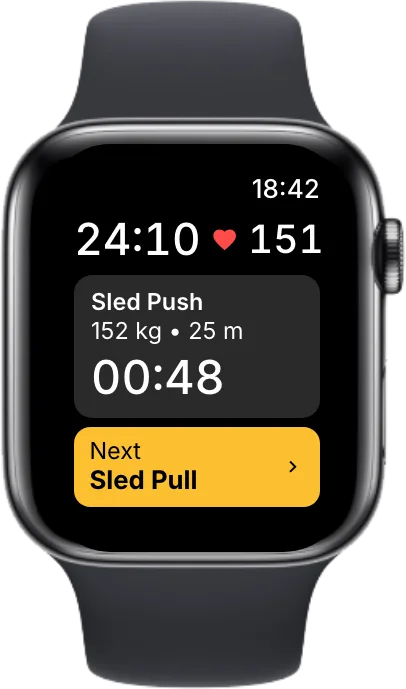
Start a workout from your wrist. The watch shows the exercise you are on, the next one and your heart rate, and you move on with a tap.
The workout saves to Apple Health with your heart rate and calories.
Strava, Apple Health and Health Connect
Your runs and other workouts from Strava, Apple Health or Health Connect show up in your TrainRox calendar next to your plan.
Connect Strava and we post your TrainRox workouts there, and your HYROX results once your profile is claimed.
Garmin Connect is not available yet, and we are working on it. Until then, a Garmin that syncs to Strava reaches TrainRox through Strava.
Your heart rate on every split
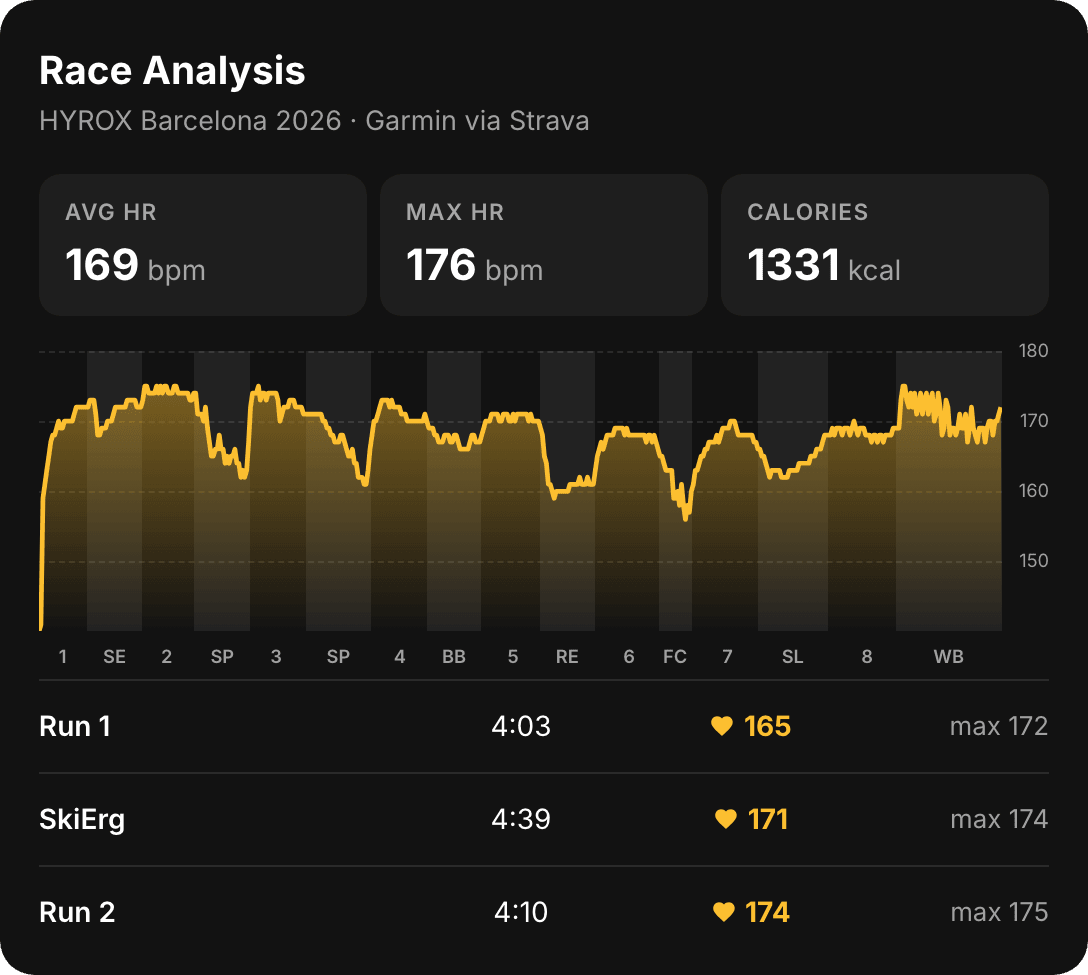
Wore a watch at your HYROX race? Link the activity it recorded to your result. We line it up with the official split times, so you see your heart rate on each run and station and where it climbed.
It works with activities from Strava, Apple Health and Health Connect, on any result on your profile.
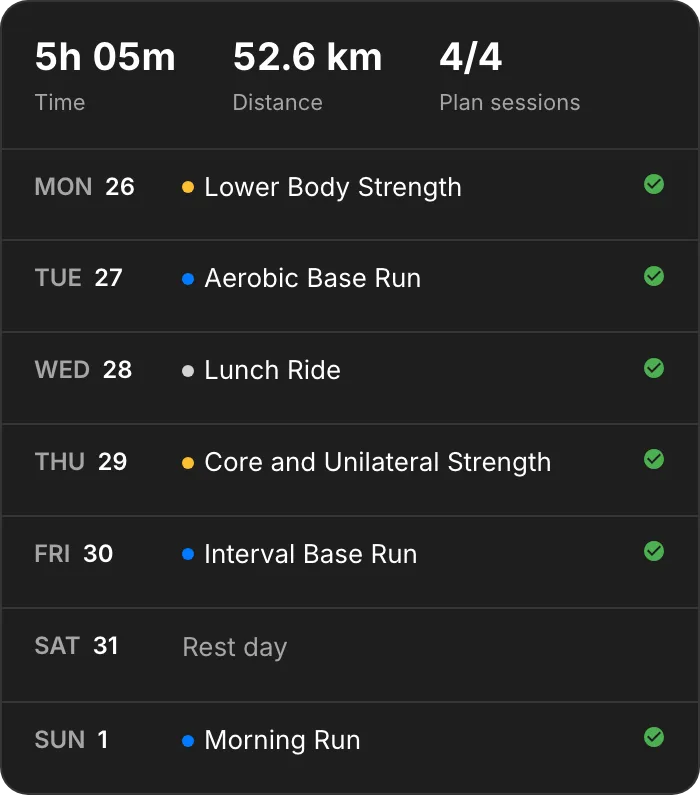
Your plan in your calendar
Add your training plan to Apple Calendar, Google Calendar or Outlook, and every session shows up on its day. It is part of TrainRox Plus.
The Apple Watch app, Strava and Health are free. Calendar sync is part of TrainRox Plus.
Questions about the app →More from TrainRox
- How it works
Following
Follow friends and the athletes you race against, and see their workouts, races and upcoming starts in one feed.
- How it works
Share stickers
Turn a result, a race or a training week into a sticker for your Instagram story, and collect patches for the races you finish.
- How it works
Live tracking
Follow any athlete through a HYROX race, with each run and station as they finish it.
- How it works
Athlete profiles
Every athlete's HYROX results in one place, with personal bests, season bests, split bests and records. Claim yours.