TrainRox Is Now on iPad
Your plan, your workouts and your training calendar now use the whole screen. Look over your month, plan next week, and turn the iPad any way you like.
TrainRox now runs on iPad. Starting with version 1.16, the app is built for the bigger screen, and it turns with the iPad, so landscape and portrait both work.
Sign in with your usual account and everything is already there: your plan, your workouts, your Strava history and your Plus subscription.
Your whole month at once
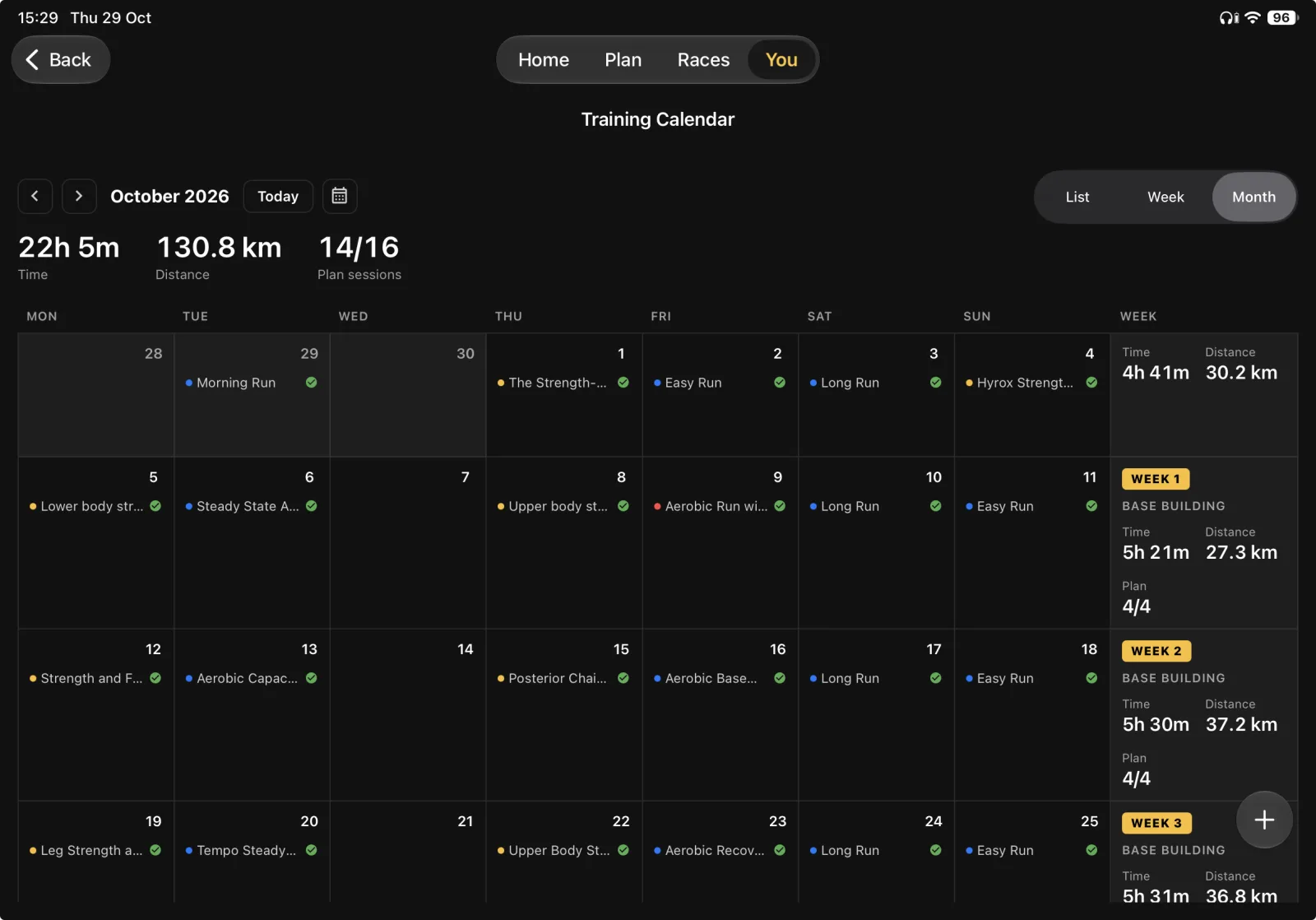
The Training Calendar has room to breathe on iPad. Month view shows every session with a dot for its type, a tick when it is done, and a column of weekly totals for time, distance and plan sessions. It is the easiest way to look back at a block of training or see what the next few weeks hold. Tap any day to open it.
Side by side
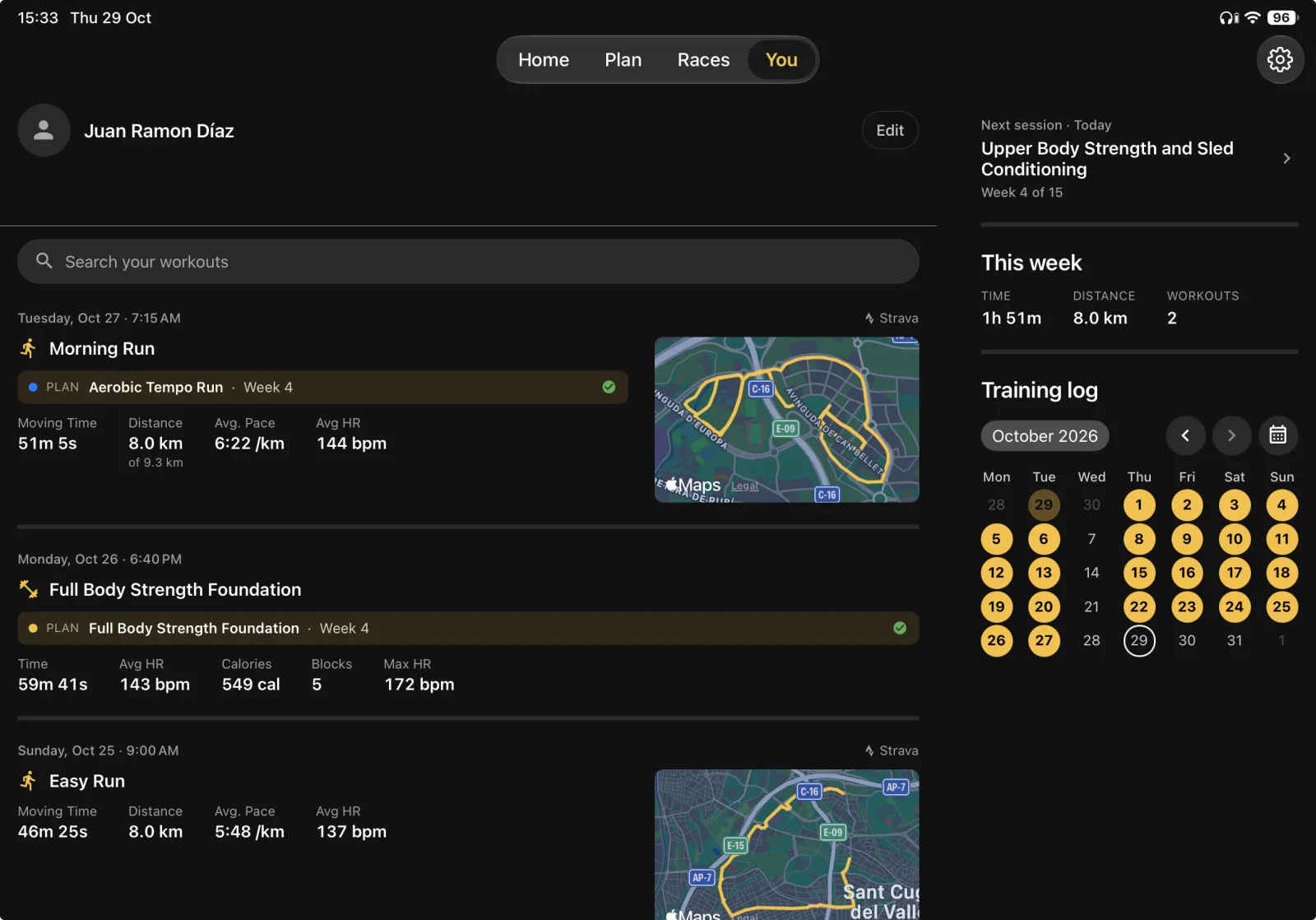
On the bigger screen the app puts two things next to each other where a phone has to stack them. The You tab shows your workout feed on the left, and your next session, this week's totals and your training log on the right. In the Plan tab, Manage Plan opens beside your weeks, so you can change training days or equipment and still see your plan.
The timer, too
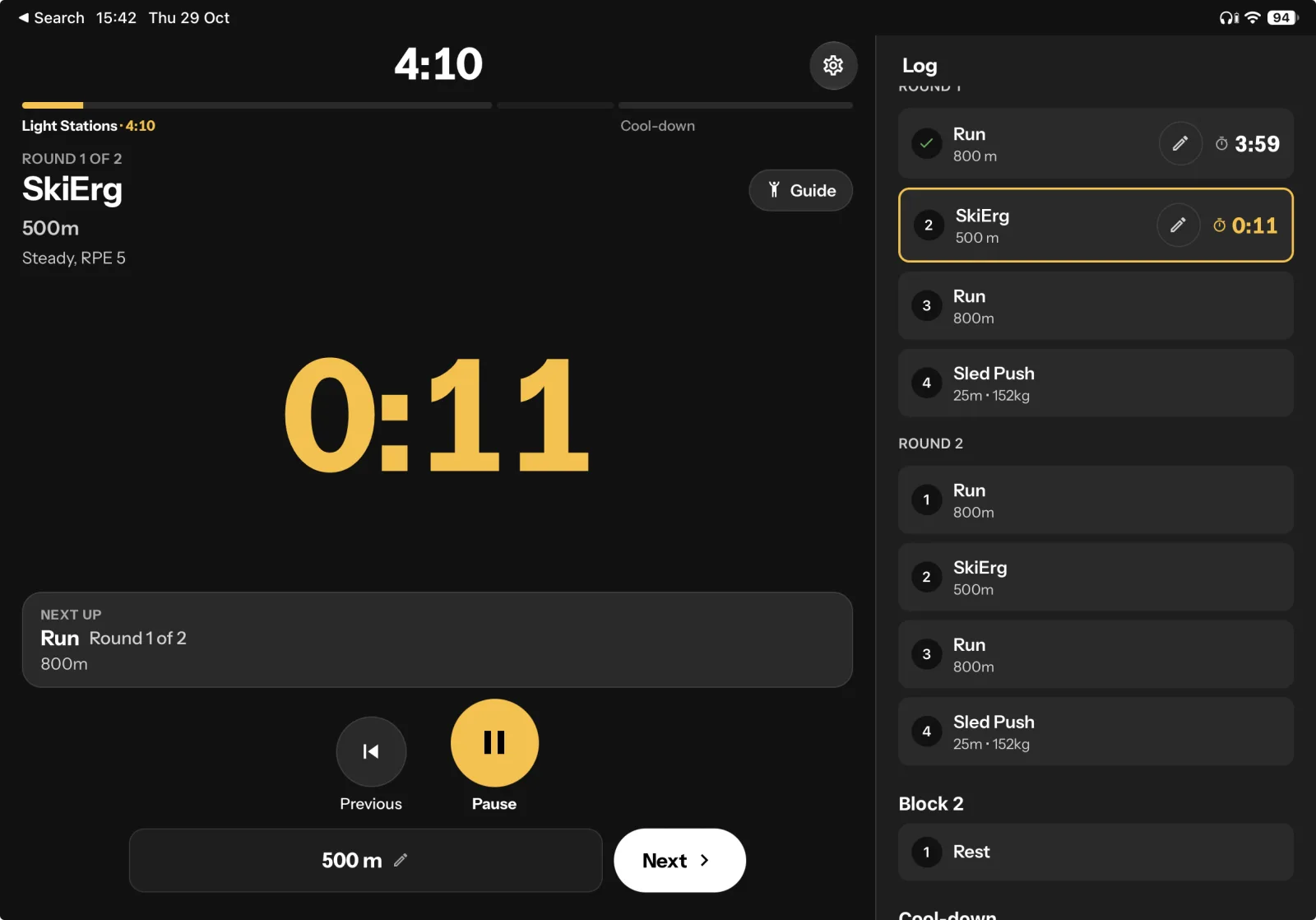
Training at home? Prop the iPad up and the workout timer fills the screen. In landscape the session log sits next to the clock, so you see what you have done and what is next without leaving the workout.
Get it
Update TrainRox on your iPhone, or search for TrainRox in the App Store on your iPad. It is the same app, so there is nothing extra to buy.
If something looks off on your iPad, tell us from Settings in the app.